The last couple of days I’ve been getting Caricature to a more releasable state. The code got a thorough cleanup and refactor. Caricature now knows how to be a full mocking framework for Ruby classes and CLR classes that only interact with ruby objects. When I apply the 80/20 rule to caricature it’s definitely beta worthy.
An update on caricature
Yesterday I explained about caricature but I didn’t have it fully tested yet. Today I’ve written a bunch of integration specs for all the platform combinations Caricature currently supports so you should be able to use Caricature also for plain ruby object mocking in addition to CLR interop mocking.
After having a very brief twitter discussion with Scott I decided it would be a good idea to change the name of the methods when\_told\_to and was\_told\_to? . In ruby objects receive messages so the wording now becomes when\_receiving and did\_receive? . I have a problem with the should naming because there is nothing conditional about it. Either you want the method to return something or you want it to return a default value for CLR value types or nil. And if you’re asserting if a method it called that is deterministic; it is either called or not there is no gray area there.
ninja = ClrModels::Ninja.new @weapon.when_receiving(:attack).with(ninja).return(5) @ninja.attack(ninja, @weapon).should.equal 5 @weapon.did_receive?(:attack).with(:any).should.be.successful
Before I call it 1.0 I want to at least give ruby objects also the ability to isolate static and sealed methods as well as mocking ruby class methods. So that for CLR to Ruby interaction you a get the full range of possibilities.
I have also set up a site on github that contains the API documentation for Caricature. When IronRuby 0.5 releases I’ll publish a blog post that will talk you through testing your CLR assembly with IronRuby, bacon and Caricature.
For now you can take a look here for example on how to use Caricature for isolating features.
IronRuby just got a mocking framework – kind of
As I mentioned in a previous post. I started working on a small mocking framework. It has now progressed far enough to handle the most common mocking tasks.
Below I pasted the output of the integration tests for CLR interop.
when isolating CLR interfaces
- should work without expectations
- should work with an expectation with any arguments
- should work with an expectation getting different method call result
- should work for an assertion on a specific argumentwhen isolating CLR classes
- should work without expectations
- should work with an expectation for any arguments
- should work with an assertion for specific arguments
- should fail for an assertion with wrong argumentswhen isolating CLR instances
- should work without expectations
- should work with an expectation for any arguments
- should fail for an assertion for specific arguments
- should allow to delegate the method call to the real instance (partial mock)
you will need bacon installed to run the specs. you should issue the command igem install bacon for that.
you can then install the caricature gem in ironruby by issueing
igem install caricature
To use it there are some examples in the file spec/integration_spec.rb
require 'rubygems' require 'bacon' require 'caricature' ninja.when_told_to(:survive_attack_with).return(5) weapon.attack(ninja).should.equal 5 ninja.was_told_to?(:survive_attack_with).with(:any).should.be.successful
There is a gotcha though, when you use it in a CLR class you’re bound to CLR rules and it only overrides the methods that are marked as virtual. We also can’t isolate static or sealed types at the moment.
I took the approach of doing away with the terminology of mocking and subbing and instead chose the much clearer Isolation. By default any method returns null or the default value of a value type. You can tell an isolation to return a specific value or raise an error etc. Later on you can then assert if the method was actually called.
This fits in better with the way you probably structure your tests.
I hope you like it.
You can find the source in my github account.
http://github.com/casualjim/caricature
Joined the lounge network
Today I received my invitation to the Lounge network. I just finished changing my homepage to include their ads in my side bar.
My reasons for joining the ad network are that on one hand I’ve been an ad-sense member for a really long time and although I’ve had ads on multiple sites it never actually made me any money. Eventually I gave up on putting those ads on my blog. So I’m not really doing it to make any money of this blog, but if it takes a small bite out of my hosting bill I’ll be a happy man
.
The ads that are run by the lounge are .net centric and are a much better fit to the audience of this blog. It even may be helpful to somebody at times.
Let’s see how this works out.
Mocking for IronRuby
As you may or may not know I’m in the process of building IronRubyMvc. At one point I did write a bunch of tests in for the code I had at that point. However that test code was written in C# with xunit and moq. I wasn’t too happy about that so I deferred writing tests to a later date when I could use a Ruby library to write them.
That time has come, I can use bacon and it’s acceptable performance wise now, not stellar but workable. So when I started to port some of my previously written tests to bacon I ran into a road block. Mocking isn’t as straightforward as my optimistic self was expecting. This lead me to think about what exactly does a mocking framework do?
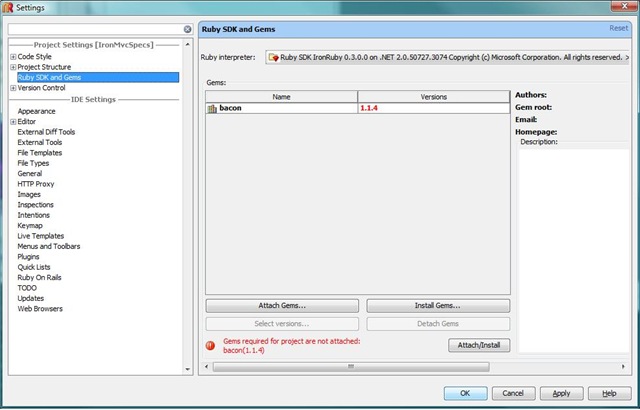
Using IronRuby with RubyMine
RubyMine was released earlier this week. I’ve used rubymine in the past and was very impressed with the IDE, so much that I’m silently hoping the guys from Jetbrains would do a C# IDE too. I’d probably buy that one as well, but for now I’ll settle for Resharper with Visual studio.
By default Rubymine won’t accept IronRuby as a ruby SDK, but I asked for help in the twitterverse and got it (http://twitter.com/iRomeo/statuses/1677867948).
Just symlinking didn’t really work because the ruby.exe listens to –version for getting its version number. IronRuby on the other hand listens to –v to get its version number. The solution to that is to create a batch file that will translate the –version modifier to –v.
So instead of symlinking the ir.exe to a name that starts with ruby I created a batch file called ruby_iron.cmd with the following content.
@echo off set IR_CMD="%~dp0ir.exe" if "%1"=="--version" ( GOTO RUBY_VERSION ) GOTO RUBY :RUBY_VERSION %IR_CMD% -v goto QUIT :RUBY %IR_CMD% :QUIT
With that ruby_iron.cmd file in place you can just add IronRuby as an SDK in RubyMine.
Enjoy
Binder for ironruby mvc
I’ve progressed far enough with IronRuby MVC to start thinking about a sample and I’ve decided to write 2 separate samples both on the same technologies. As an OR/M I will be using LightSpeed from Mindscape, just because it’s an awesome piece of technology.
Git/Github survival guide
Lately I’ve been helping a few people to get started on Github. I use git at the command line and my survival guide is also based on that way of interacting with Git. So I thought I’d write the procedure up so that I can just point people to this page.
The first tip I can give you and most of what I’ll be talking about is in the guides from github. When you’re used to Subversion or Team Foundation Server for example you’ll need to make a mental leap. That leap would be to realise that your local copy is the master copy for you. The remote server like github.com is one is a little bit like an afterthought. I think it goes a little bit like this: “O cool I’ve built this really cool thing here and I’ve got it in this git repository on my machine. It would be cool if other people also had access. Wait a minute, I’ll just add a remote and push my stuff onto that server.” Problem solved.
Most of this guide applies to both windows and *nix systems except for the next part because that will describe the install parameters for getting msysgit to behave nicely on your system.
==== Windows only ====
If you’re on windows I suggest you use msysgit as your git client. You can probably use everything I’m about to explain from explorer too if you want to use tortoisegit or just prefer gui’s. I, personally, like having options so I’ll probably use a mix of those in the future. Ok onto the install procedure.
Somewhere half-way through the install of msysgit it will ask you how far you want to integrate it. The correct choice is the middle one: Run Git from the Windows Command Prompt. For generating ssh keys etc you probably want to use OpenSSH.
==== Windows only end ====
When the install of msysgit is completed it is time to start configuring your git install for usage with github. The first step you need to take is to tell git your username and email address. You will also need your API token that you can find on your account page.
[~]$ git config --global user.name "Ivan Porto Carrero"
[~]$ git config --global user.email ivan@nowhere.com
[~]$ git config --global github.user casualjim
[~]$ git config --global github.token [[API TOKEN]]
This information can be found in the github guides: http://github.com/guides/tell-git-your-user-name-and-email-address. The configuration above is global but you can still override that on a per project basis.
Now that git knows how to deal with github it is time to formally introduce your machine to the github server. To do so you might have to create an ssh key private/public keypair. A tip I can give you before you start the creation is that you probably don’t want to type a password everytime you push to github. So when you create your ssh key don’t use a passphrase (leave it blank when asked for one).
The procedure on how to create the ssh keys can againn be found in the github guides: http://github.com/guides/providing-your-ssh-key. On windows I would suggest that you use the openssh one. I use RSA keys but you can choose whichever flavor you want of course
After generating the ssh keys you need to provide them to github in your account page.
This should get you up and running with github. I’m assuming most people coming to github are familiar with subversion so I’ll try to map some common operations to the command sequence you need in git.
First things first I have a couple of aliases defined for some common operations.
You can just copy paste the aiases section below in the .gitconfig file that you can find in the root of your personal folder. C:\users\ivan\.gitconfig on vista for me and ~/.gitconfig in bash.
[alias]
ci = commit
st = status
co = checkout
If all you need is read-only access to a repository you can just clone a repository by its public clone url ie. git clone git://github.com/casualjim/ironrubymvc.git
The first operation you’ll need is how to get source code, make changes and send in a patch. In git lingo this is called forking.
On github you fork the project you want to make changes too. Then you clone that project on your local machine and make your changes. You then push your changes back to your repository and send a pull request to the original project. That is all you need to do to send in a patch, issue a pull request.
I forked ironrubymvc from Jimmy Schementi and send him pull requests regularly when I’ve completed a chunk of work on it. so here’s the sequence of commands I use to do this.
git clone git@github.com:casualjim/ironrubymvc.git
… make some changes …
To start updating the repository with my changes I’ll generally first ask for a status to see if I need to add some files to ignore and if there are new files that need te be included
git st
If there are files that need to be ignored I’ll add them to the .gitignore file in my project root. If there are still some new files that need to be added:
git add .
Then I’m ready to commit the changes to my local repository:
git ci –a –m “Made ironrubymvc do the dishes and ironing”
Now it’s time to push my changes to the github server.
git push
And now I need to go to the github website and send a pull request to Jimmy. He can then decide if he wants to apply the patch or make some changes.
The next step is to keep your fork in sync with the forked repository, so that you can continue to pick up their changes and ensure that your changes still work.
git remote add upstream git://github.com/jschementi/ironrubymvc.git
to automatically fetch and then merge the changes from the upstream repository you can pull from it. You have to tell pull the remote source it has to pull from and the target branch.
git pull upstream master
A more detailed explanation of this process can be found in the github guides. http://github.com/guides/fork-a-project-and-submit-your-modifications
The next thing we’re going to map is svn:externals. In git this is called submodules. They have a great explanation off that in the github guides http://github.com/guides/developing-with-submodules
Suppose you made some changes and they aren’t really what you want and you want to restore the repository to the last commit.
git reset –hard
The last topic is branching and merging changes etc. As an example I will take the IronRuby project for which Michael Letterle and myself maintain the linux branch. This branch ensures that IronRuby gets the fixes it needs to compile on mono. A typical workflow for me when I sync it with the source repository @ git://github.com/ironruby/ironruby.git from the ironruby project root on my local machine.
Previously I did:
git clone git@github.com:mletterle/ironruby.git
git remote add ironruby git://github.com/ironruby/ironruby.git
And to create and track the remote linux branch I issued the following commands:
git co –-track –b linux origin/linux
git pull
This has now got my local copy set up with a linux branch and has pulled in the contents of the remote branch to my local repository.
When there are changes in the source repository I issue the following commands:
git co master // Check out the master branch
git pull ironruby master // Pull in changes from remote
git co linux // Check out the linux branch
git merge master // Merge in the changes from the master branch
mate . // Open textmate to resolve conflicts
git add . // Add the files with the resolved conflicts back to the repository
git ci –a –m “Synced with upstream” // submit changes
git push // update the github server
The information above can be found in the github guides as well but in several places:
http://github.com/guides/git-cheat-sheet
http://github.com/guides/showing-and-tracking-remote-branches
http://github.com/guides/push-a-branch-to-github
http://github.com/guides/keeping-a-git-fork-in-sync-with-the-forked-repo
http://beans.seartipy.com/2008/12/09/setting-up-ruby-on-rails-projects-with-git-and-github/
Those are the commands I use about 95% of the time when I’m working with git. I thought they might be useful to other people hence the share.
If you combine the above with my previous post on how to git-enable your command-line http://flanders.co.nz/2009/03/19/pimp-your-command-line-for-git/ . I guess you’ve got a pretty sweet setup.
There is one gotcha that I’d like to repeat one more time. When you’re branching you have to close the solution in visual studio or all kinds of nastiness will ensue. Visual studio will lock some files and if git wants to remove them it can’t. This results in a branch that is probably messed up.
Pimp your command-line for git
I do development on both the Mac and windows. I prefer to use git as my source control these days and have done so for the past year or so. Git is great, I love it. I love the ease of branching a lot too. I’ll often just branch of locally just to play around with an idea without affecting the master branch.
But having many branches can be confusing at times, especially in my case as I can only remember what I was doing for 5 seconds. So sometimes I mess up a perfectly good branch because of the confusion.
Ninject knows a new trick
Earlier this week Nate already said that I was doing some work on Ninject, now I have it working
. Everything I’m about to talk about is currently in the master tree of the ninject github repository. Getting IronRuby to play nice with Ninject was surprisingly easy
,